How to rank higher on Google Maps: 11 fixes, in the order that matters
The LocalMapGrid team · Updated November 23, 2026 · 4 min read
The short answer
Google says it plainly in its own help pages: local results are based on relevance, distance and prominence. Every tactic that works maps onto one of the three. Every tactic that doesn't (stuffing keywords into the business name, fake reviews, virtual offices) eventually gets a profile suspended.
This guide puts the fixes in the order that pays back fastest, using what we saw in 6,690 real Google Maps listings across 14 trades.
First, see where you actually rank
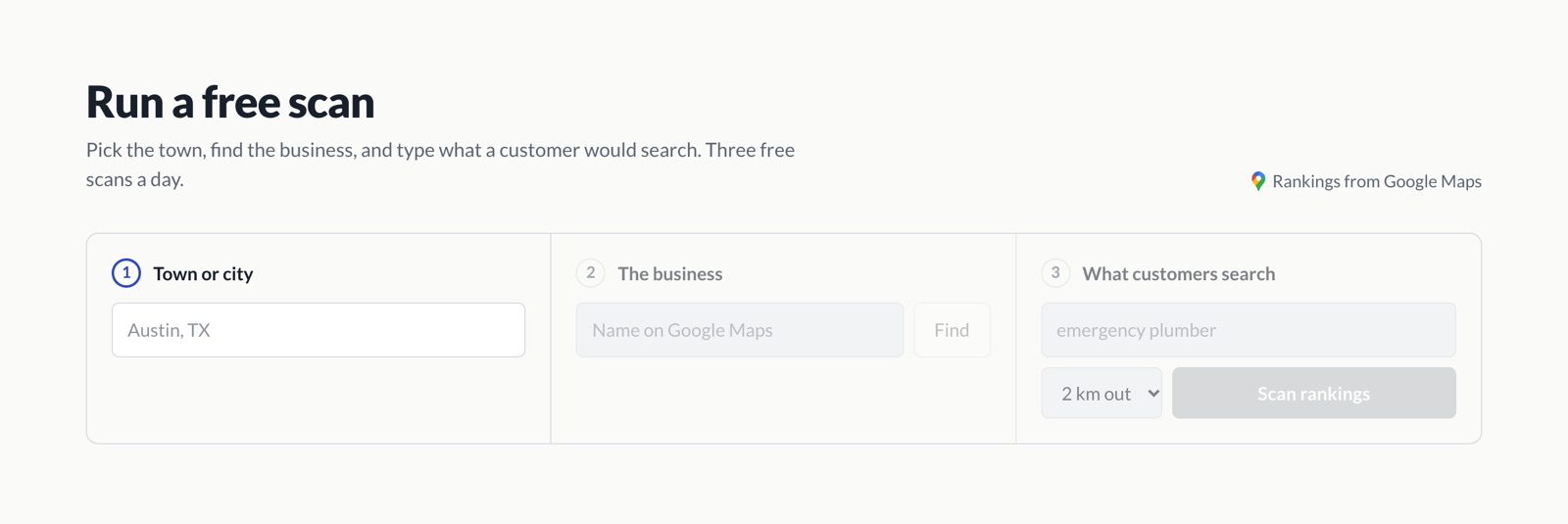
Before changing anything, get a true baseline. Searching on your own phone won't give you one, because Google personalises results to your location and history. You'll see yourself ranking well from the office and conclude everything is fine.
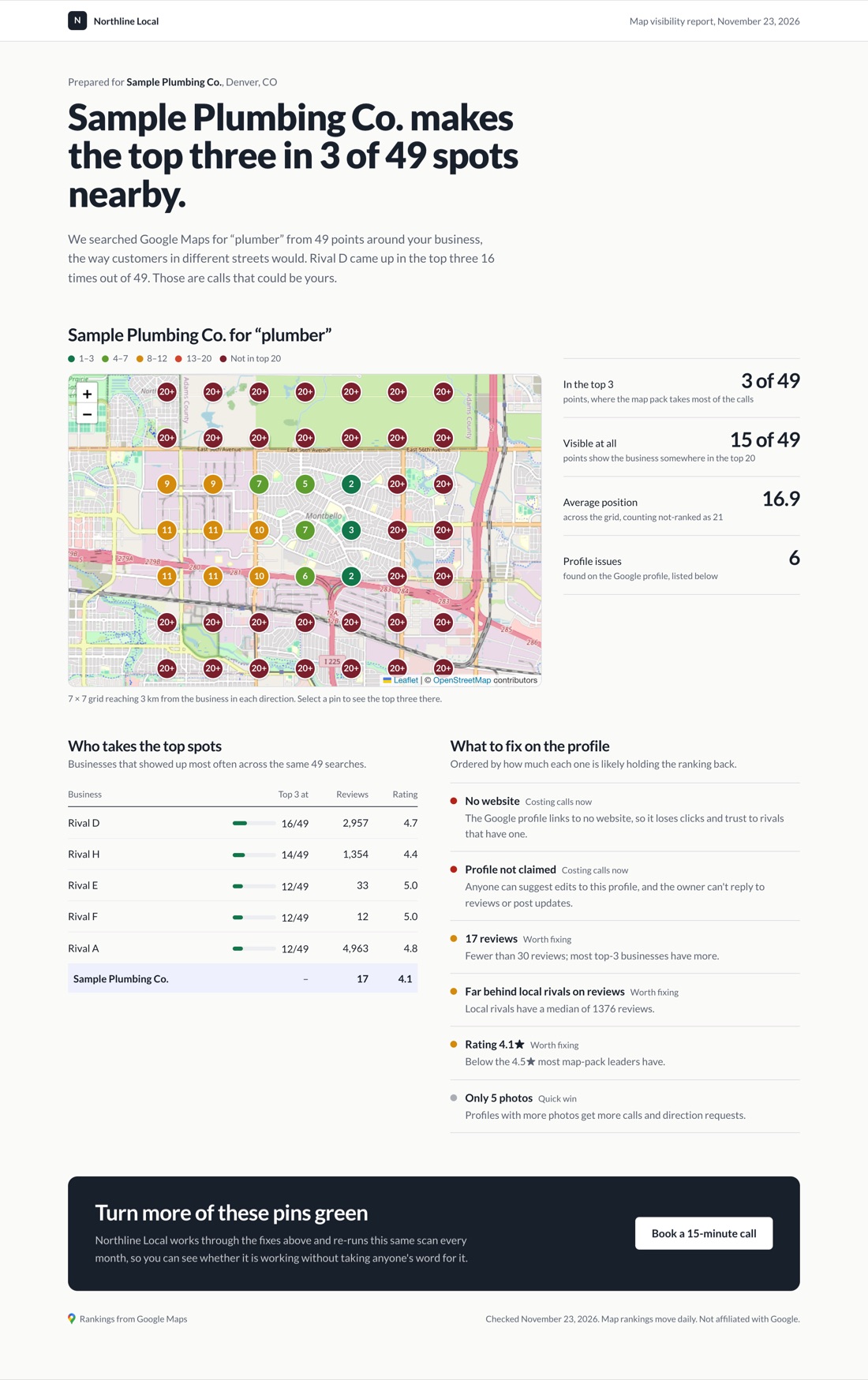
A geo-grid scan runs the same search from a grid of points around the business, the way customers in different streets would, and shows the rank at each one. Here's a real Denver plumber, checked from 49 points:
This plumber is in the top 3 at 6% of points. From the owner's desk, the ranking looks fine. Customers across most of the service area never see it.
Relevance: make the profile match the search
1. Choose the most specific primary category
The primary category is the strongest relevance signal you control. "Personal injury attorney" beats "Lawyer" for injury searches; "Mexican restaurant" beats "Restaurant". Look at the categories of the three businesses in the map pack for your main search. They're usually the right answer.
2. Add secondary categories only for real services
Secondary categories help you appear for related searches, such as "Drainage service" for a plumber who does drains. Adding categories for work you don't do dilutes the profile and misleads customers.
3. List every service, in the words customers use
Services give Google more text to match. Write "water heater repair", not "thermal appliance solutions". One service per item.
4. Write a plain description
Say what you do, where, and for whom, in two or three sentences. Don't stuff keywords: it reads badly and doesn't help.
Prominence: give Google reasons to trust you
5. Earn reviews steadily
Reviews are the clearest difference between businesses that rank and businesses that don't. Among Denver plumbers, the median listing has 19 reviews; the ten best-placed have a median of 2,232.
What counts as "enough" depends on your market: the median HVAC company in Atlanta has 4 reviews, while the median Chicago restaurant has 466. Aim to match, then pass, the businesses that beat you in your own grid.
The method that works is boring: ask every happy customer, at the moment they're happiest, with a direct link. Never buy reviews or offer anything in exchange. Google removes them, and can suspend the profile.
6. Reply to every review
Replies show customers you're active, and they're a chance to answer criticism calmly. Prospective customers read the replies to negative reviews more closely than the reviews themselves.
7. Link a real website
22.6% of the listings in our data link to no website. A website gives Google more to match against and gives the customer somewhere to check you out. Among Denver plumbers, 90% of the ten best-placed have one. A single page with your services, area, phone number and hours is far better than nothing. A Facebook page isn't a substitute.
8. Add real photos, regularly
Photos of real jobs, your team and your vehicles. Stock images add nothing. Upload a few new ones a month rather than fifty once.
Completeness: remove the easy reasons to lose
9. Claim and verify the profile
11.9% of the profiles we checked are unclaimed. An unclaimed profile can't reply to reviews, post updates or correct wrong details, and anyone can suggest edits to it. If yours is one of them, claiming it is the first job.
10. Fill in hours, phone and attributes
9.6% of listings show no opening hours. People filter for "open now", and a profile without hours drops out of those results. Fill in holiday hours too.
Distance: work with it, not against it
11. Accept proximity, and measure it
Distance from the searcher is the one factor you can't change without moving. That's why every business ranks best near its own address and fades with distance. The aim is to push that fade further out by being more relevant and more prominent than the businesses in the next neighbourhood.
It also explains surprises. In Columbus, the best-placed auto repair shops at our search points had a median of 51 reviews, fewer than the typical shop's 84. They were simply closer to where the searches came from, with relevant categories.
Some things don't work and can get the profile suspended: keywords in the business name, virtual offices or PO boxes as addresses, and separate profiles for each service.
Measure monthly, from the same points
Re-run the same grid scan every month, with the same search term and the same grid. You're looking for the green area spreading outward from your address. A single "average rank" figure hides that; the map shows it.
Questions
How long does it take to rank higher on Google Maps?
Profile fixes like categories, services, hours and photos can show up within two to six weeks. Review gaps take longer, because reviews have to be earned at the pace you do jobs.
Does the business name affect Google Maps ranking?
Yes, which is why people stuff keywords into it. It's against Google's guidelines and can get the profile suspended. Use your real business name.
Why do I rank well at the office but not elsewhere?
Google weighs how close the business is to each searcher. A geo-grid scan shows how your ranking changes across the area, which a single search can't.
Do Google Business Profile posts help rankings?
There's no strong evidence that posts move rankings directly, but they keep the profile current and give people a reason to call. Treat them as conversion help, not ranking help.
What's the fastest way to rank higher on Google Maps?
Fix the primary category, complete the profile, link a real website and start a steady review routine. Then measure your rank across the area to see what changed.