How to find local SEO clients: a prospecting playbook that uses their own map
The LocalMapGrid team · Updated November 23, 2026 · 4 min read
The short answer
Most local SEO outreach fails for the same reason: it's generic. "I can get you to the top of Google" lands in the same pile as every other cold email the owner gets that week. What gets replies is specific, visual proof about their business: where they show up on the map, where they don't, and who takes those calls instead.
This playbook is how to do that at scale, without spending a day on each prospect.
Step 1: Pick one trade and one city
Narrow beats broad. One trade means you learn its searches, its seasons and its objections, and your case studies sell to the next prospect. One city means you can point at streets the owner knows.
Good trades share three things: high job values, owners who make the decision, and lots of businesses with weak profiles. From our data on 6,690 listings:
| Trade | No website | Unclaimed | Need score 50+ |
|---|---|---|---|
| HVAC (Atlanta) | 49% | 9% | 39% |
| Auto repair (Columbus) | 41% | 19% | 28% |
| Landscaping (Nashville) | 30% | 12% | 29% |
| Electricians (Charlotte) | 30% | 17% | 28% |
| Plumbers (Denver) | 26% | 15% | 19% |
| Law firms (Tampa) | 4% | 7% | 7% |
Law firms pay the most but have already done the basics. HVAC companies and electricians have obvious gaps and owners who answer their own phones. See all 14 trades for the full picture.
Step 2: List every business and score it
You want every business that appears on Google Maps for the trade's main search, across the whole city, with the problems that matter: website, claimed status, review count against the local median, rating, hours and photos.
You can do this by hand in a spreadsheet. It takes hours per city. In LocalMapGrid you type the trade and the city, and get every business on the map scored from 0 to 100 by how much it needs help:
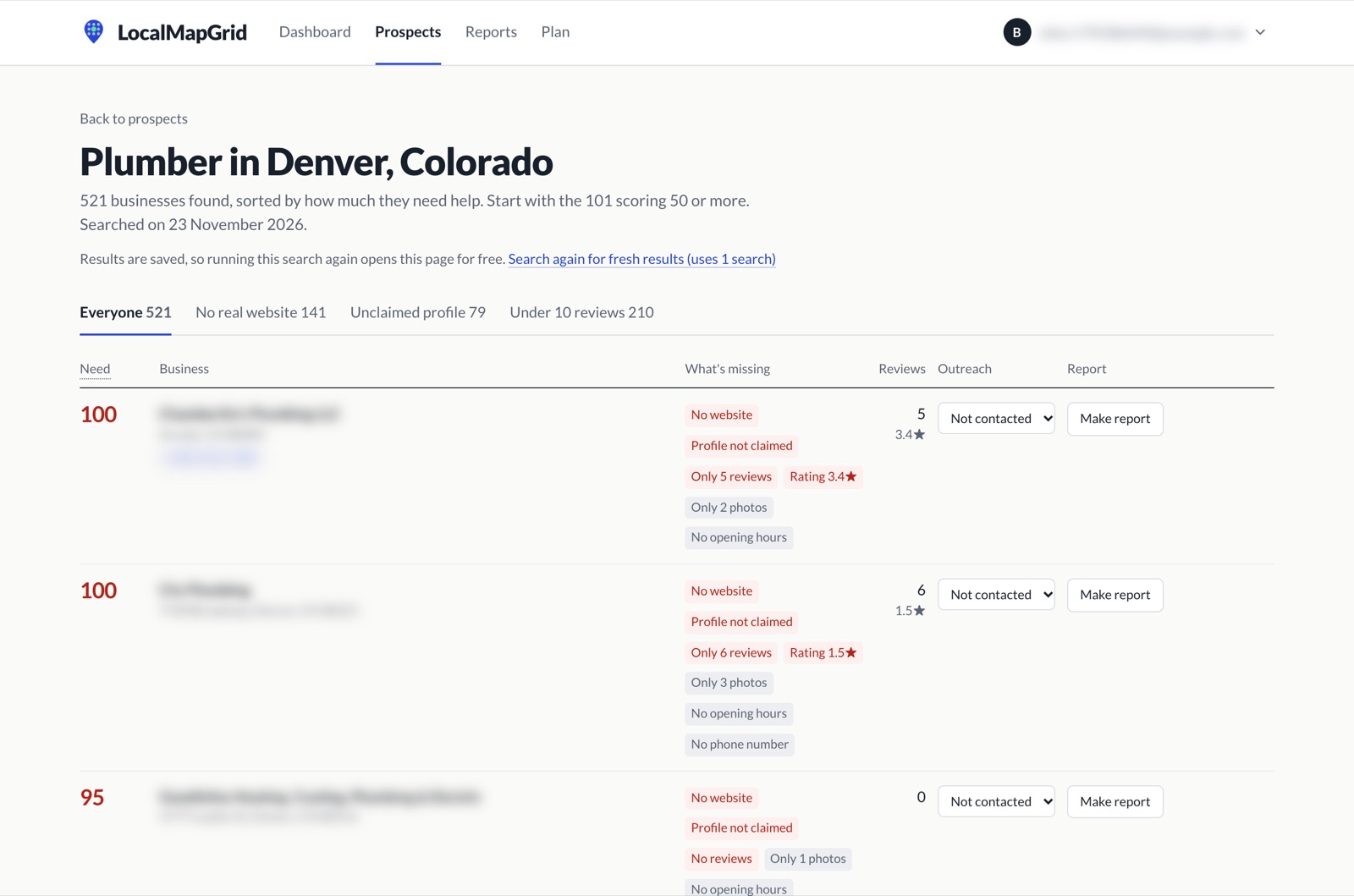
In that Denver search, 101 of 521 plumbers scored 50 or more. That's your list.
Step 3: Pick the right prospects, not just the worst ones
The highest need score isn't always the best prospect. A business with zero reviews and no phone number may be closed or not trying. Look for:
- Real but held back. Some reviews, a phone number and decent ratings, but no website, an unclaimed profile or a big review gap. They're trading, and they're losing calls.
- Visible in places. They rank near their address and vanish further out. That gap is easy to show and easy to explain.
- Reachable. A phone number, and ideally an email or website contact form.
Step 4: Make a report for each one
This is the step that changes reply rates. Instead of describing the problem, show it: the owner's own business on a map of their area, the points where they're in the top 3, the points where they're missing, and the competitor who takes those spots.
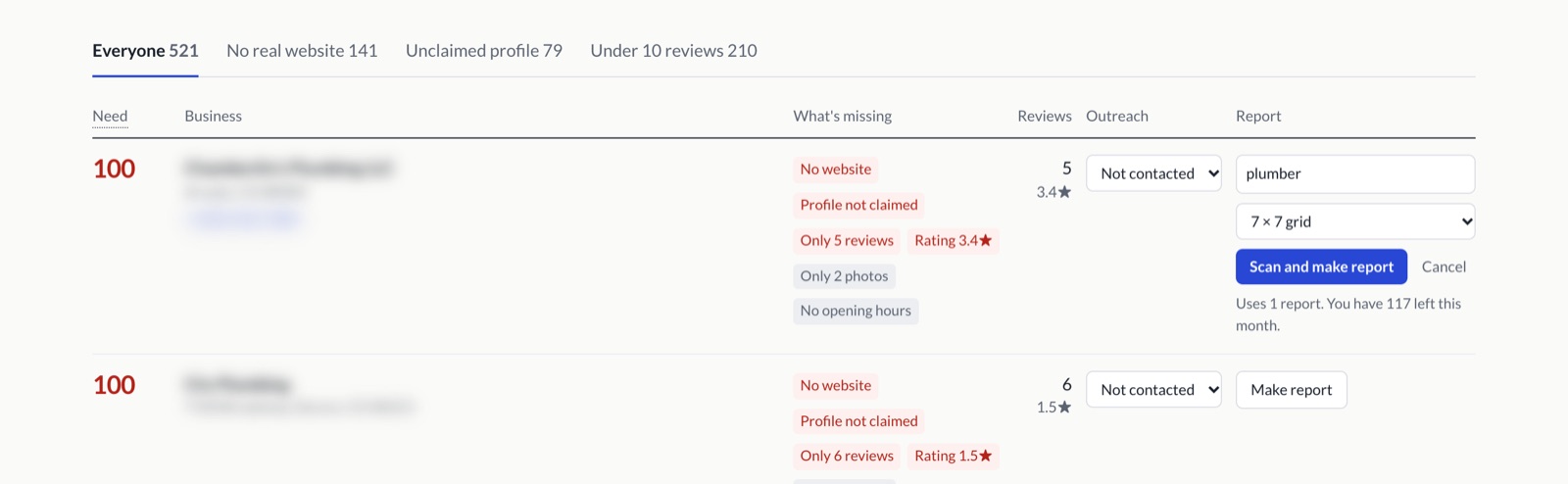
Each report is a page with its own link, with your agency's name on it:
Step 5: Send a short, specific first message
Lead with the map. Keep it under 100 words. Ask for a small next step.
Subject: Your Google Maps ranking around [area]

Hi [first name],

I checked where [business] shows up when people search
"[trade search]" from 49 spots around your address.
You're in the top 3 at [x] of them. [Competitor] takes most of the rest.

Here's the map: [report link]

The two things holding you back most: [issue 1] and [issue 2].
Both are fixable. Worth a 15-minute call this week?

[Your name]
No attachments, no "SEO packages", no claims you can't back up. The link does the work.
Step 6: Follow up when they open it
The moment someone opens their report is the best time to call. They've just seen their own map and they're thinking about it. LocalMapGrid records every open and puts those businesses at the top of your dashboard:
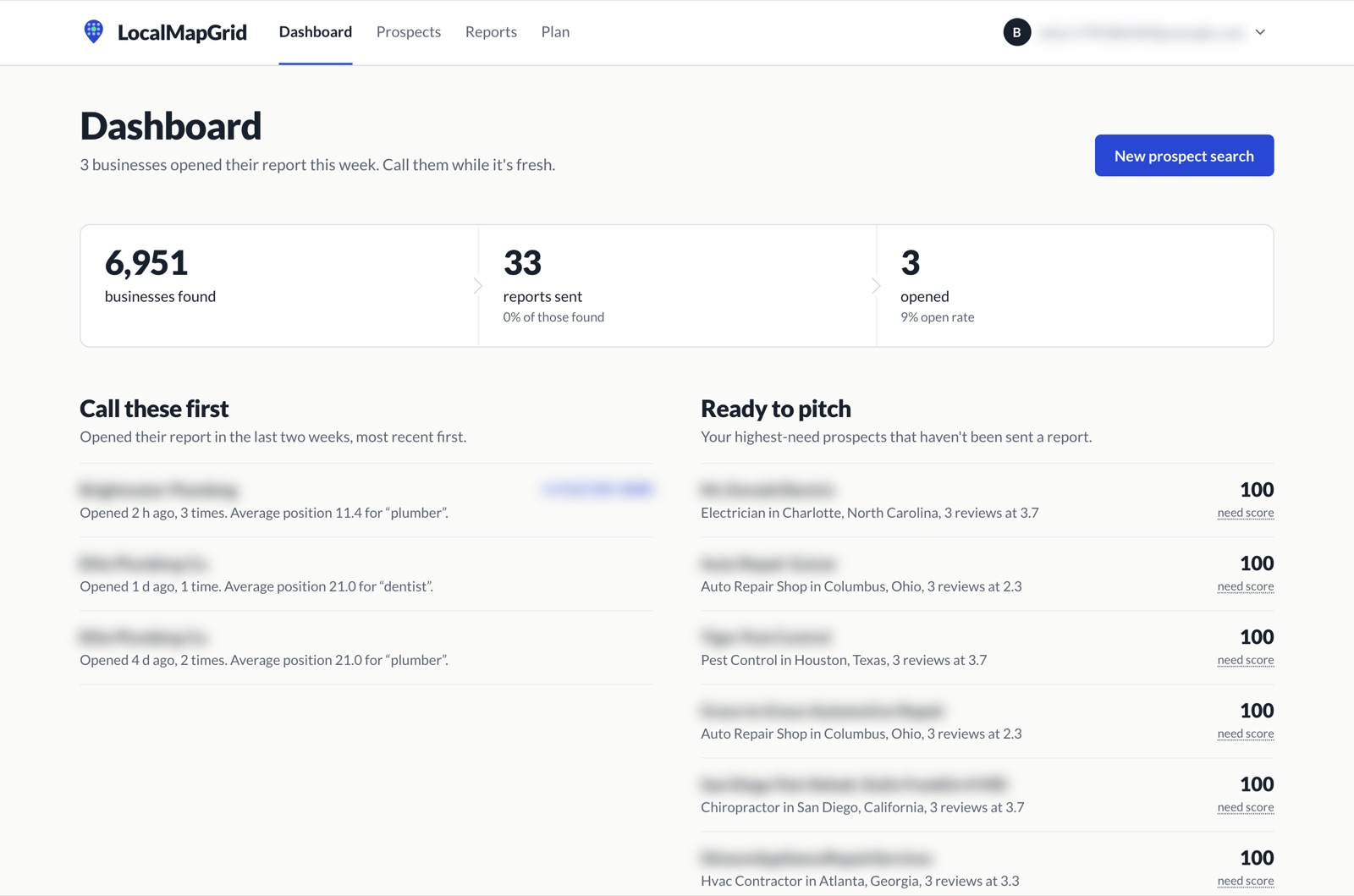
If someone hasn't opened it after two or three days, send one short follow-up with the single most striking number ("you're missing from 38 of 49 spots"). If they still don't open it, move on: there are more prospects in the list.
Step 7: Track the numbers that matter
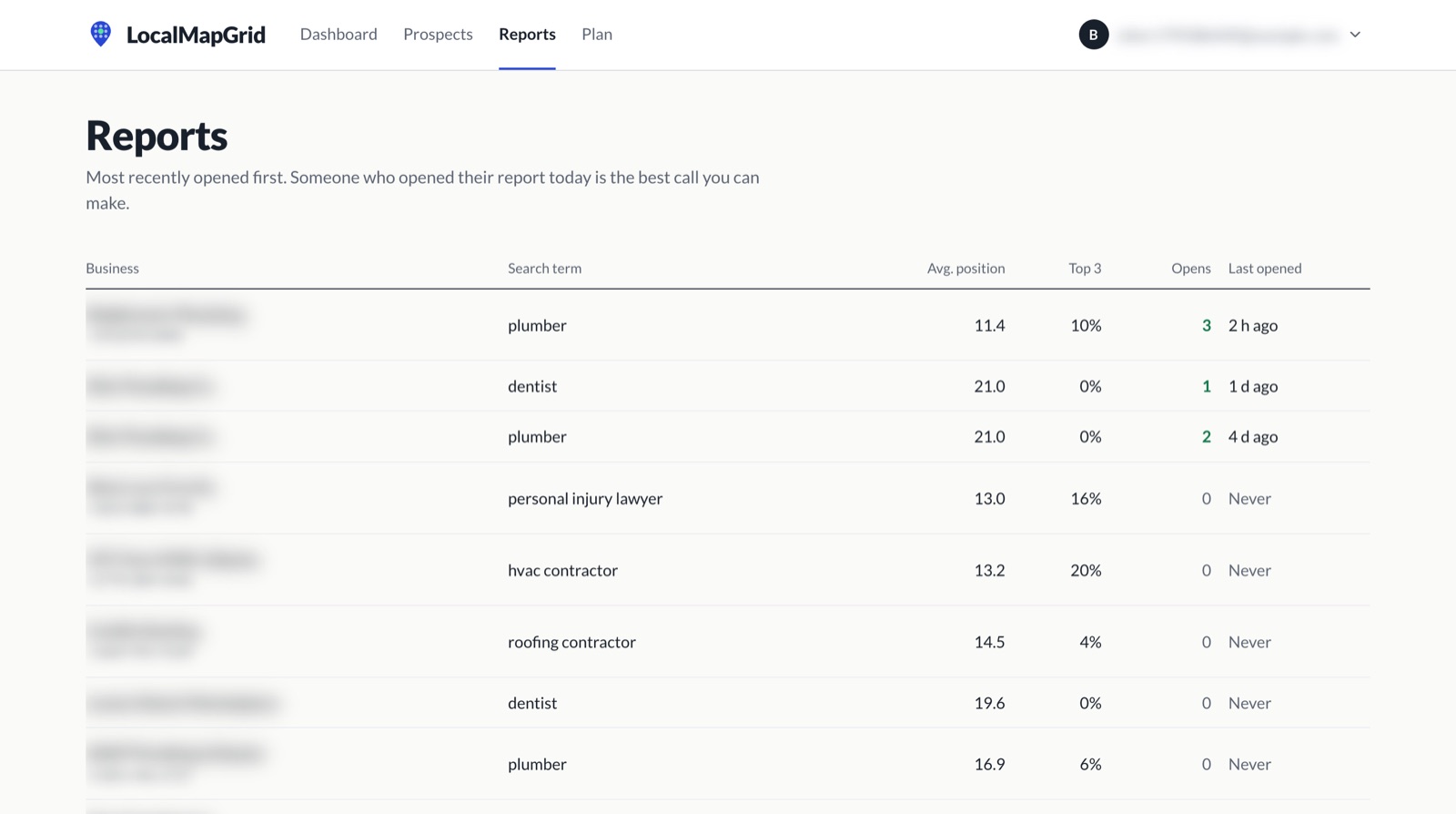
Three numbers tell you whether this is working: reports sent, open rate, and calls booked from opens. If the open rate is low, your subject lines or targeting need work. If opens don't turn into calls, the first message or the follow-up does.
What to say on the call
- Start with their map, not your services. Ask whether they recognise the areas where they're missing.
- Name the competitor who wins those spots, and explain why: reviews, website, categories.
- Give two specific fixes and what each would likely change.
- Offer to re-run the same scan in 30 days so they can see the result for themselves.
Questions
Where can I find local SEO clients?
On Google Maps itself. Search a trade in a city and look for businesses with visible problems: no website, unclaimed profiles, few reviews or weak rankings across their area.
What should I send a local business in a cold email?
Something specific to them: their own Google Maps ranking map, the competitor beating them and two fixes. Keep it short and ask for a 15-minute call.
Which niches are best for local SEO?
Trades with high job values and owner-operators, such as HVAC, roofing, plumbing and electrical. Law firms pay more but are more competitive and already well optimised.
How many prospects should I contact a week?
Enough to send personalised reports to every good fit. Twenty to fifty a week is manageable for one person with a tool that builds the reports.
Is cold outreach for SEO legal?
Rules vary by country. In the US, commercial email must follow CAN-SPAM: identify yourself, include a physical address and honour opt-outs. Check the rules where you and your prospects are.